Mastering the 3D Sleigh Christmas Ornament for Professional Sublimation Results
The holiday season brings a surge of creativity for crafters and small business owners alike, and few projects capture the festive spirit quite like a 3D Sleigh Christmas Ornament. Whether you are a seasoned entrepreneur looking to expand your product line or a hobbyist eager to create personalized gifts, digital designs featuring watercolor sleighs and seamless patterns offer a fantastic starting point. However, the gap between downloading a file and holding a pristine, professional-grade ornament in your hand is often wider than beginners anticipate. Many enthusiasts rush into printing without fully understanding the nuances of sublimation templates, leading to wasted materials and frustrating results. By approaching your project with a corrective mindset and paying attention to critical details, you can ensure your final products stand out for their quality and charm.
Understanding the Digital Asset vs. Physical Reality
One of the most common misunderstandings occurs right at the purchase stage. When you acquire an Instant Digital Download PNG, it is vital to remember that you are buying a design file, not a physical object. The listing typically includes a ZIP file containing high-resolution assets, such as a 5-inch by 5-inch PNG at 300 DPI. While this resolution is excellent for printing, newcomers often overlook the specific requirements of their hardware. A frequent mistake is assuming that any printer can handle these files effectively. Sublimation requires specific ink and paper; using standard office inkjet printers will result in dull, washed-out colors that fail to capture the vibrancy of the Sleigh Christmas watercolor aesthetic. To avoid this, verify that your equipment is dedicated to sublimation before you even consider purchasing a design.
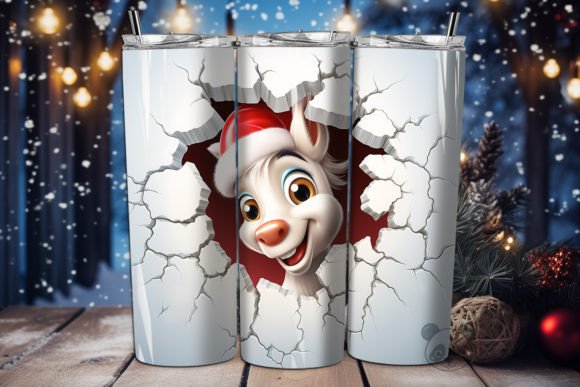
Furthermore, the concept of "3D" in these listings can be misleading if not interpreted correctly. In the context of an Ornament Wrap PNG, "3D" usually refers to a design that wraps around a curved surface to create depth, or a graphic that simulates a three-dimensional look on a flat plane. It does not mean the file itself is a 3D model ready for 3D printing. If you attempt to send these PNG files to a 3D printer, the machine will not recognize the data. Instead, these files are intended for heat transfer onto substrates like ceramic, metal, or specialized plastic ornaments. Ensuring you match the file type to the correct manufacturing method is the first step toward efficiency and cost savings.
Navigating Template Sizes and Aspect Ratios
Even with the right printer, sizing errors remain a pervasive issue in the sublimation community. You might receive a file sized at 5 inches by 5 inches, but your blank ornaments may vary slightly in dimensions or curvature. A significant error many makers make is stretching the image to fit a template without maintaining the aspect ratio. This distortion can warp the Sleigh Christmas background elements, making the sleigh look unnaturally wide or tall. Always check the dimensions of your specific blank product against the provided Ornament wrap template. If your blank is a "skinny" ornament, a square 5x5 design will not wrap correctly without significant cropping or awkward white space.
To mitigate this, always perform a test print on regular paper before committing expensive sublimation paper and blanks. Cut out your test print and tape it around the ornament to visualize the seam placement. This simple step prevents the heartbreaking moment of peeling back the paper to find the sleigh's reins cut off or the pattern misaligned. Additionally, pay close attention to the bleed area. High-quality Sublimation Designs often include extra background color beyond the cut line to ensure no white edges appear after trimming. Ignoring this buffer can leave your professional-looking 3D Ornament wrap with unsightly borders that detract from the overall presentation.
Color Management and Heat Press Variables
The transition from screen to substrate is where color fidelity is most at risk. What you see on your monitor regarding the Sleigh Christmas png colors may differ significantly from the final output due to monitor calibration and printer profiles. A common pitfall is skipping the creation of custom ICC profiles for your specific combination of printer, ink, paper, and heat press. Without this, the rich reds of the sleigh ribbons might turn orange, or the deep greens of the holly could appear muddy. Investing time in color management ensures that the watercolor textures retain their soft, artistic quality rather than becoming pixelated or oversaturated.
Equally important are the heat press settings. Every blank manufacturer provides recommended time, temperature, and pressure settings, yet many users apply a "one size fits all" approach. Applying too much pressure on a 3D Sleigh Christmas Ornament blank can cause ghosting, where a faint duplicate image appears due to the paper shifting during the press. Conversely, insufficient heat or time leads to incomplete ink transfer, resulting in a faded design that lacks durability. Always consult the technical sheet for your specific blanks. If you are working with a 15 Oz Ornament Template or similar large surface area, ensure your heat press platen covers the entire design evenly; otherwise, you may need to perform a double press, which requires precise alignment to avoid visible seams.
Selecting the Right Design for Your Niche
When browsing for Ornament Sublimation Design files, it is tempting to choose the first eye-catching image you see. However, successful creators evaluate the versatility of the artwork. Does the Sleigh Christmas seamless pattern tile correctly if you need to cover a larger surface? Is the background transparent, or does it have a white box that will show up on colored blanks? These details matter immensely for usability. A design with a transparent background offers flexibility, allowing you to press the sleigh onto red, green, or gold blanks without a harsh rectangular outline. In contrast, a design with a solid white background limits you to white or very light-colored substrates unless you intentionally want that framed look.
Moreover, consider the target audience for your finished products. A Sleigh Christmas skinny Ornament design might appeal to customers looking for delicate tree decorations, while a bolder, full-wrap design suits gift tags or larger display pieces. Understanding the end-use helps you select the right Digital Download files from the start. If you plan to sell these items, ensure the license included with your download permits commercial use. Most reputable sellers provide clear terms, but overlooking this can lead to legal complications down the road. By treating your design selection as a strategic business decision rather than just an aesthetic choice, you position yourself for greater success in the competitive holiday market.
Final Checks Before Production
Before you begin mass production, take a moment to review your workflow. Ensure your software is set to the correct color mode (usually CMYK for printing, though some RIP software handles RGB differently) and that your image scaling is set to "actual size." Double-check that the 3D background elements align logically with the shape of the ornament. If the design includes text, mirror it horizontally before printing, as sublimation transfers as a mirror image. Forgetting this step is a classic beginner error that renders the entire batch unreadable.
Ultimately, creating stunning 3D Sleigh Christmas ornaments is about blending artistic vision with technical precision. By respecting the limitations of your equipment, understanding the specifics of your digital files, and rigorously testing your process, you transform a simple PNG file into a cherished holiday keepsake. Whether you are crafting for family or building a brand, these corrective steps ensure that your final output reflects the care and quality your customers expect.